
Does a Portable Monitor Charge Like a Laptop for Convenience?
In today’s tech-driven world, convenience is key. As we streamline our workspace, the question arises: Does a portable monitor charge like a laptop? Many users wonder if their portable monitor can serve the dual purpose of displaying content and charging their laptop at the same time. The answer depends on several factors, such as the type of monitor, its connectivity options, and the charging capabilities of both the laptop and monitor. In this article, we’ll dive deep into how portable monitors work, whether they can charge your laptop, and how this feature could impact your day-to-day productivity.
Content
Understanding Portable Monitors and Their Charging Capabilities
What Is a Portable Monitor?
A portable monitor is a lightweight, compact screen designed to be easily transported and used with various devices such as laptops, smartphones, or gaming consoles. Unlike traditional monitors that require bulky setups, portable monitors are slim, energy-efficient, and often powered by a single USB cable, making them ideal for people who need an extra display on the go.
How Portable Monitors Connect to Devices
Portable monitors typically connect via USB-C, HDMI, or mini HDMI ports. The connection type plays a significant role in whether the monitor can charge your laptop. USB-C, for instance, is capable of transferring both power and data, making it the ideal connector for charging laptops and other devices. HDMI, on the other hand, is used primarily for video and audio transfer but does not support charging capabilities in most cases.
- Can HDMI Charge a Laptop?
Unfortunately, HDMI ports are designed to handle only video and audio signals, not power delivery. As a result, HDMI cannot charge your laptop, even though it can be used for display purposes. - USB-C and Power Delivery
USB-C is a more advanced port capable of both transmitting data and providing power. It uses a technology called Power Delivery (PD) to efficiently transfer power from the monitor to your laptop, assuming both the monitor and laptop support this feature. This is where the convenience factor comes into play. Many modern portable monitors come with USB-C ports that can charge laptops while simultaneously functioning as an external display.
Does a Portable Monitor Charge Like a Laptop?
Can You Charge Your Laptop Through a Portable Monitor?
The short answer is yes, in some cases, you can charge your laptop through a portable monitor. However, not all portable monitors have this capability. It depends on the specific model and its features.
- USB-C Charging: If both your portable monitor and laptop support USB-C with Power Delivery, you can use the monitor to charge your laptop while using it as an external display. This setup eliminates the need for separate charging cables, helping to reduce cable clutter and streamline your workspace.
- Charging Speed and Wattage: When a portable monitor charges your laptop, the charging speed depends on the monitor’s power output. Some portable monitors offer higher power delivery (PD), while others may charge more slowly or provide just enough power to prevent your laptop from draining during use. Generally, portable monitors can deliver up to 60W of power, though some premium models can supply up to 100W, allowing for faster charging.
USB-C: The Game-Changer for Charging and Display
USB-C is the main technology that enables charging through a portable monitor. It provides a faster, more reliable connection for both data and power transfer. With USB-C, you can achieve a clean, single-cable solution that both powers your laptop and allows you to use the monitor as a second screen.
Power Delivery (PD) technology allows for higher voltage and current, meaning that laptops can charge quickly without overheating. As long as your portable monitor has a USB-C port with PD support and your laptop is compatible, charging through a portable monitor can be a convenient and efficient solution.
HDMI Limitations for Charging
As mentioned earlier, HDMI does not support charging. It only transfers video and audio signals, making it unsuitable for powering laptops. If you connect your laptop to a portable monitor using an HDMI cable, you’ll still need a separate power adapter to charge your laptop.
How to Charge Your Laptop Through a Portable Monitor
Step-by-Step Guide: Charging Through USB-C
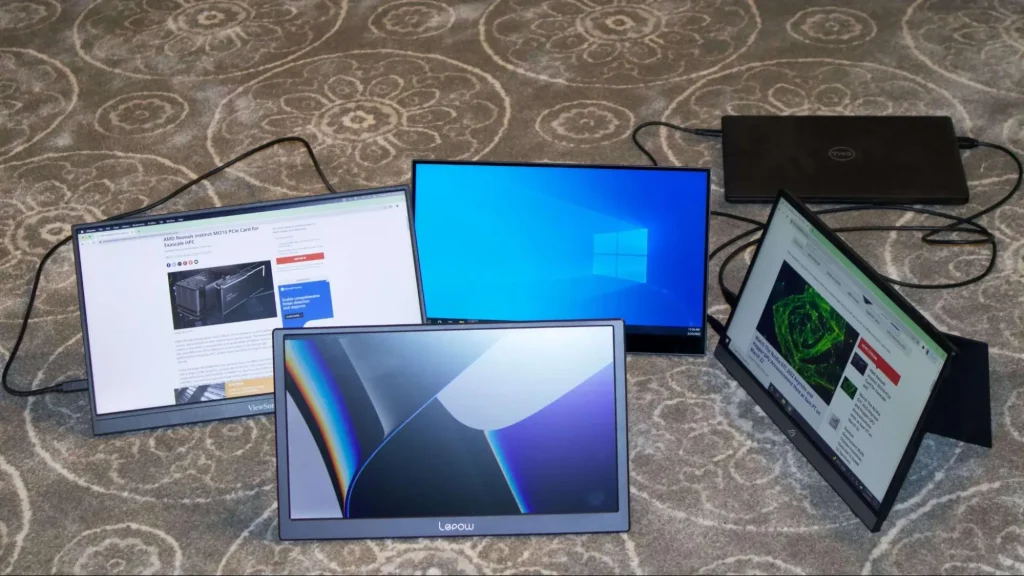
If your portable monitor supports USB-C with Power Delivery, here’s how you can charge your laptop:
- Check Compatibility: Ensure that both your portable monitor and laptop have USB-C ports that support Power Delivery.
- Connect the Cable: Use a USB-C to USB-C cable to connect your portable monitor to your laptop. Ensure the cable is of good quality and supports data and power transfer.
- Power Settings: In some cases, you may need to adjust your laptop’s power settings to allow charging through USB-C. Make sure your laptop is set to allow power transfer via this port.
- Monitor Power: Ensure that your portable monitor is plugged into a power source (if necessary). Some portable monitors draw power from the laptop itself, while others require their own power adapter.
Alternative Charging Methods When USB-C Is Not Available
If your portable monitor does not support charging through USB-C, you can still use it as a second screen while charging your laptop with a separate charger. Alternatively, some users opt to carry a portable power bank to charge their laptop while using the monitor for display purposes.
The Impact of Charging Speed and Efficiency
The charging speed may be slower compared to using a dedicated charger, especially if the monitor is providing power to multiple devices or running on lower wattage. The efficiency of charging also depends on the monitor’s power output and the laptop’s charging requirements.
The Convenience of Charging Laptops Through Portable Monitors
Pros of Charging Your Laptop via a Portable Monitor
- Reduced Cable Clutter: One of the main advantages of charging through a portable monitor is the ability to use just one cable for both display and charging. This can significantly reduce the number of cables you need on your desk, making your workspace cleaner and more organized.
- Mobility and Flexibility: Portable monitors are designed for easy transport. If you’re a digital nomad or frequently travel for work, the ability to charge your laptop through the monitor means you can have both display and power options in a single setup.
- Efficient Workflow: Having a second screen while working on the go enhances productivity. You can work on your laptop while having a large, high-resolution display for reference material, video calls, or other tasks.
Cons or Limitations of Charging Your Laptop Through a Monitor
- Slower Charging: Depending on the monitor’s power output, the charging speed may be slower than using a wall charger. This can be especially noticeable with high-performance laptops that require more power.
- Compatibility Issues: Not all portable monitors and laptops are compatible with USB-C Power Delivery, so you need to check your devices before relying on this feature.
- Increased Battery Drain: If you’re using a portable monitor while the laptop is also being charged, the battery life of both devices may be affected. High screen brightness and running intensive tasks could drain your laptop’s battery faster than the monitor can charge it.
Conclusion
In conclusion, does a portable monitor charge like a laptop? It depends on the monitor’s capabilities. If it supports USB-C Power Delivery, it can charge your laptop while providing an extra screen, making it a convenient and space-saving option. However, be mindful of potential limitations like slower charging speeds and compatibility issues.