
Top Laptop and Tripod Stand Combos for Optimal Productivity
In today’s fast-paced digital world, creating an ergonomic workspace is essential for productivity. A laptop and tripod stand combo not only enhances comfort but also improves posture, reducing the strain that comes with long hours of work. This article explores the top combinations available, their features, and how they can significantly boost your productivity. Whether you’re working from home, traveling, or in a traditional office setting, the right stand can make a noticeable difference.

Content
Understanding Laptop and Tripod Stands
What is a Laptop and Tripod Stand?
A laptop and tripod stand typically consists of a sturdy tripod that supports a platform for a laptop, allowing users to adjust the height and angle. These stands are designed for versatility, enabling you to work comfortably in various settings. They cater to different needs, from outdoor presentations to home office setups, making them a valuable addition to any workspace.
Why You Need a Laptop Tripod Stand
Using a laptop tripod stand enhances your workspace in several ways:
- Height Adjustability: Allows you to customize the height to your preference, ensuring that your screen is at eye level to promote good posture.
- Versatility: Ideal for different environments, such as cafes, parks, or during travel. Many models are lightweight and easy to transport, making them perfect for on-the-go professionals.
Features to Look for in a Laptop and Tripod Stand
When selecting a laptop and tripod stand, consider the following features:
Portability
Portability is crucial, especially for users who frequently move between locations. Look for stands that are lightweight and foldable. Here are some popular portable laptop tripod stands:
| Model | Weight | Folded Size | Price Range |
| Laptop Buddy Tripod Stand | 3.2 lbs | 18 x 4 x 4 inches | $45 – $60 |
| UTEBIT Laptop Tripod Stand | 2.6 lbs | 17 x 4 x 4 inches | $35 – $50 |
Stability and Durability
Stability is essential for preventing your laptop from tipping over. Look for stands made from durable materials like aluminum or reinforced plastic. Ensure the weight capacity is suitable for your laptop model to guarantee safety.
Adjustability
An adjustable laptop tripod stand should allow you to customize both height and angle. Features such as tilt and swivel functions help you find the optimal viewing angle for comfort.
Compatibility
Ensure the stand is compatible with various laptop sizes, ideally supporting devices from 11 to 17 inches. Some stands also offer additional features like cooling fans or extra shelves for accessories.
Top Laptop and Tripod Stand Combos
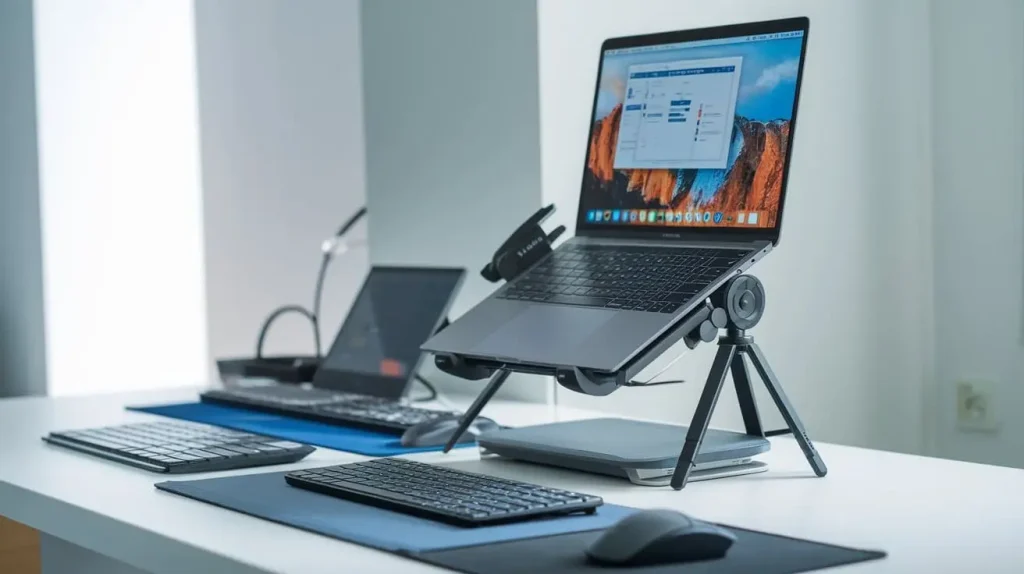
Best Overall Laptop and Tripod Stand Combo
Model: AOMAIS Laptop Stand with Tripod
- Features: Adjustable height (from 30 to 50 inches), sturdy aluminum frame, and an anti-slip surface.
- User Reviews: Praised for its stability and ease of use, making it ideal for both presentations and remote work.
Best Budget Laptop and Tripod Stand Combo
Model: Neewer Portable Laptop Stand
- Features: Lightweight (only 2.5 lbs), adjustable height, and fits laptops up to 15 inches.
- User Reviews: Users appreciate its affordability without compromising functionality.
Best Portable Laptop and Tripod Stand Combo
Model: Kootek Portable Laptop Stand
- Features: Weighs just 2.5 lbs, folds compactly, and offers 5 adjustable height settings.
- User Reviews: Highly rated for its ease of transportation and setup.
Best Premium Laptop and Tripod Stand Combo
Model: DOKO Laptop Stand with Tripod
- Features: Premium build, adjustable from 25 to 60 inches, and a weight capacity of up to 15 lbs.
- User Reviews: Users love its professional look and functionality for corporate environments.
Best Versatile Laptop and Tripod Stand Combo
Model: Pyle Adjustable Laptop Stand
- Features: Can be used as a laptop stand or music stand, adjustable height and angle.
- User Reviews: Perfect for musicians and presenters, it offers excellent versatility.
How to Set Up Your Laptop and Tripod Stand
Step-by-Step Setup Guide
- Unpack the Stand: Remove all components and ensure nothing is missing.
- Assemble the Tripod: Follow the manufacturer’s instructions for assembling the tripod legs.
- Attach the Laptop Platform: Secure the platform on top of the tripod using the locking mechanism.
- Adjust Height and Angle: Set the height and angle according to your ergonomic needs.
- Test Stability: Ensure the stand is stable before placing your laptop on it.
Tips for Ergonomic Setup
- Height Settings: The top of your screen should be at or slightly below eye level. Adjust the stand accordingly.
- Screen Positioning: Keep the screen about an arm’s length away to reduce eye strain.
Maintenance Tips for Your Laptop and Tripod Stand
Cleaning and Care
- Regular Cleaning: Use a soft cloth to wipe down the stand and platform. Avoid harsh chemicals that could damage the finish.
- Inspect for Wear: Periodically check for any loose screws or signs of wear that may compromise stability.
Storage Suggestions
When not in use, store the stand in a dry place to prevent moisture damage. If it’s foldable, keep it in a compact form to save space.
Conclusion
Investing in a laptop and tripod stand combo can dramatically enhance your productivity and comfort while working. By choosing a stand that fits your specific needs—whether for travel, office use, or presentations—you can create an ergonomic workspace that promotes health and efficiency. Take the time to explore the options available and select a combo that meets your requirements for optimal productivity.